Free
Free forever
Up to 300 products
- No time limit and no search quota
- No card required
- The only limit is the number of products
Product search & filters for WooCommerce
WebOrange Search replaces the default WooCommerce search with a hosted search engine built for Greek shops. Shoppers type “kreatini”, make a typo or use another word form — and still find the product. Instant results and AJAX filters, with nothing to run on your own server.
Live demo with search and filters — a fictional coffee shop, nothing is real.
Coming soon to the WordPress.org plugin directory — contact us for early access.
A sister product from the addsynapse team.
Built for the hard parts of Greek e-commerce search — and tuned on real catalogues.
A shopper types “kreatini” and finds “κρεατίνη”, or a brand in Latin letters and finds its Greek spelling — across titles, categories, brands and descriptions.
“πρωτεΐνη” also finds “πρωτεΐνης” and “πρωτεΐνες” — real stemming, not lucky prefix matches.
One or two typos don’t break the search, and a relevance threshold keeps unrelated “near misses” out of the results.
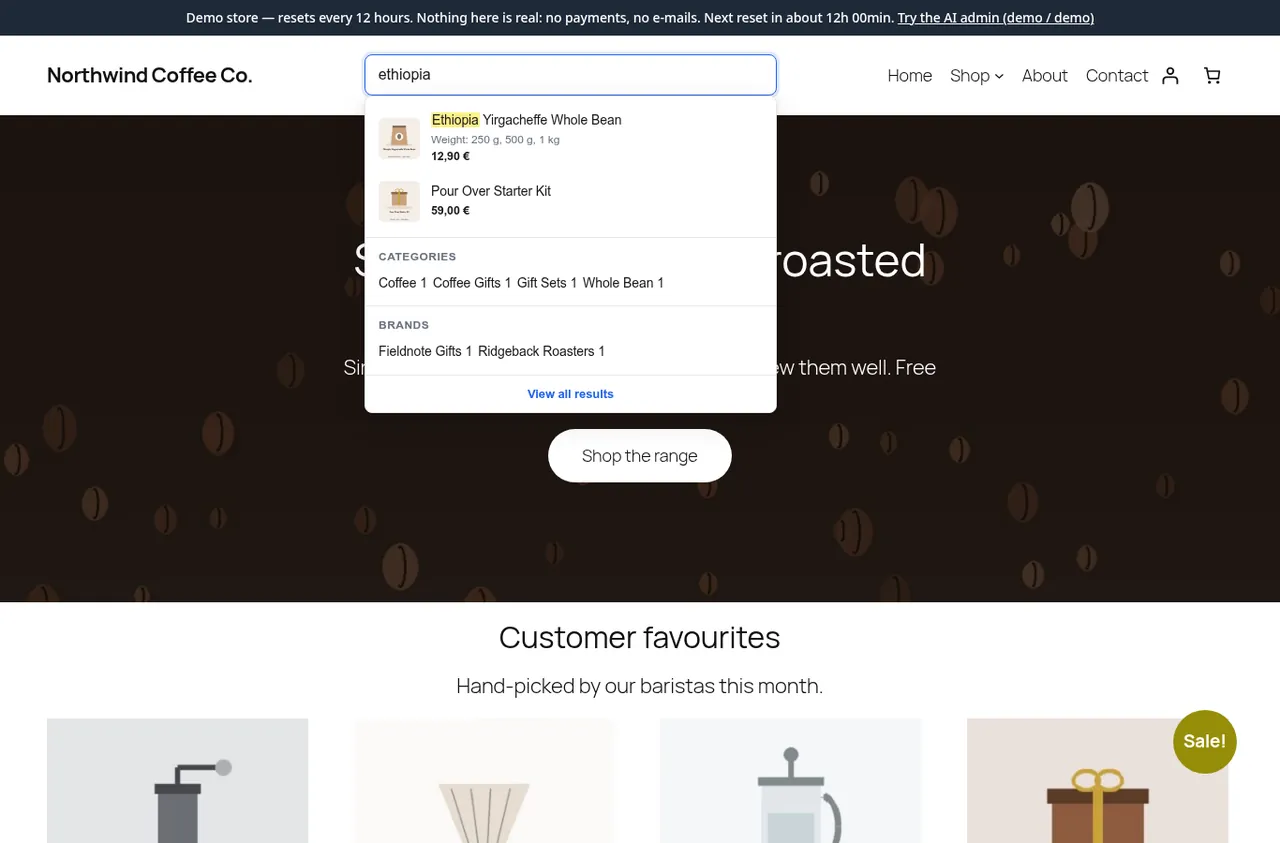
Products, categories and brands appear as the shopper types. Your theme’s search field is taken over automatically — no template changes.
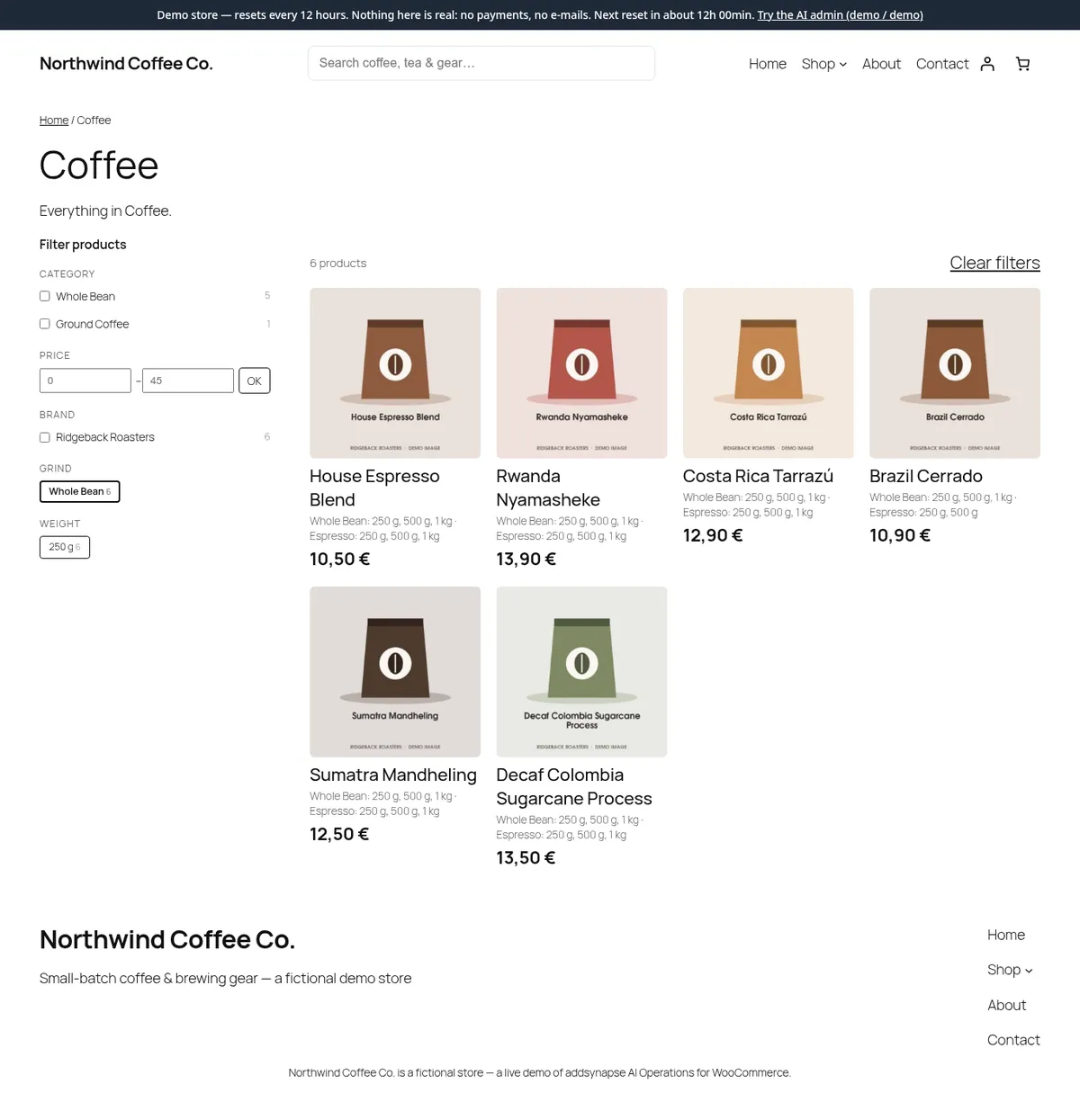
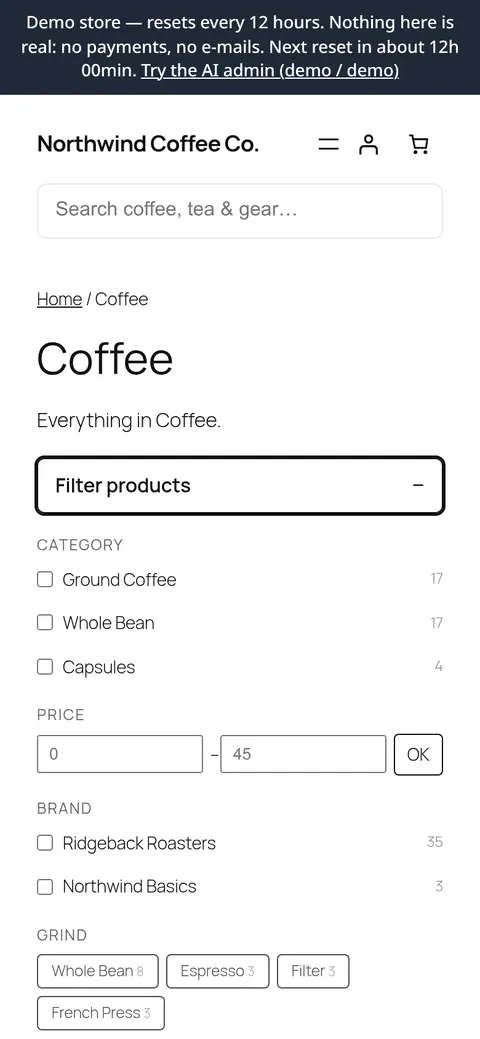
Category, price range, brand and any attribute — as checkboxes, radio buttons, a dropdown or buttons, with live counts. No page reload, and the address bar follows the filters.
Results show the colour and size combinations that are actually in stock. Optional exact variation search indexes every combination on its own.
See what visitors search for and don’t find — then add a synonym or the missing product. Per-shop synonyms and anonymous search stats (opt-in) included.
Indexing and search run on our servers. Product changes are queued in the background, so saving a product never waits for the network.
A search block and a filter block for block themes, widgets for classic themes, shortcodes — and it works with Elementor and WPBakery.
Screenshots from the demo store — a fictional shop running WebOrange Search.
No developer, no server, no card.
Install the plugin on your WooCommerce store and activate it. No theme or template changes needed.
Enter your email on the plugin’s settings page — a free key is created and activated automatically. No account to set up, no card.
The first index builds in small batches while your shop keeps running. After that, every product change syncs in the background.
Free for small catalogues. One simple plan when you grow.
Prices for larger catalogues are being finalised. Start free today, or contact us for early-customer pricing.
Free forever
Up to 300 products
Pricing coming soon
More than 300 products
Search in Latin letters, make a typo, try the filters — on a live demo store.
We use only essential cookies (session and security). No analytics, no advertising, no tracking. Cookie policy